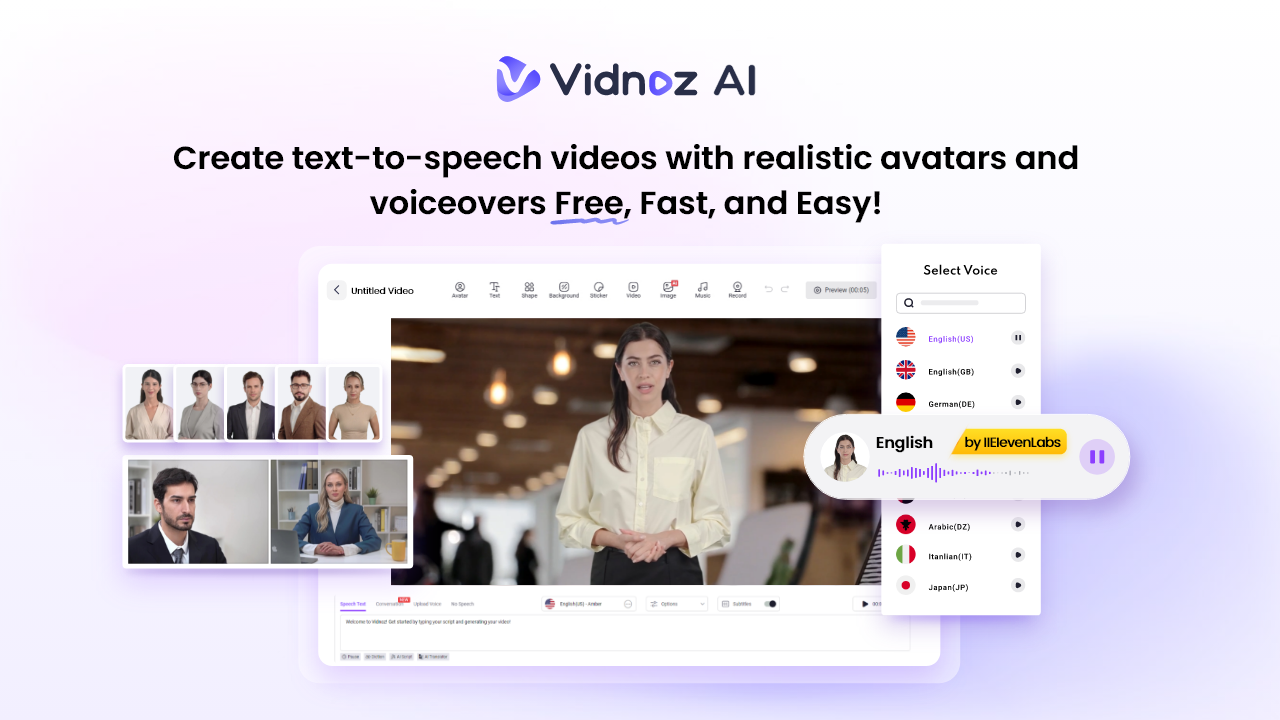
Let’s be honest: traditional corporate video creation is broken. The high costs, logistical nightmares of scheduling film crew, and painfully slow production cycles have created a constant bottleneck for L&D and HR. Onboarding new employees often gets delayed, and training consistency suffers across departments and locations. That’s where Vidnoz AI comes in. With AI-powered video creation, HR teams can produce high-quality, interactive training content in a fraction of the time and cost. This guide offers a comprehensive review of Vidnoz AI, covering its features, benefits, and drawbacks, along with a step-by-step guide to help HR teams create training videos quickly and efficiently.
Part 1: Introducing Vidnoz AI
Vidnoz AI is a web-based video creation platform that enables HR and L&D teams to create high-quality videos with ease. The program enables teams to produce professional, engaging content in minutes — without spending a fortune on production. The best part of this tool is that it supports text-to-video production, allowing anyone to create high-quality videos without professional help. Further, it is certified with ISO/IEC 27001:2022, ensuring enterprise-grade data security and compliance. With Vidnoz AI, organizations can quickly generate training videos, onboarding modules, compliance tutorials, and internal communications that are visually appealing and consistent across departments.
Part 2: Capabilities That Make Vidnoz AI Perfect for HR Teams
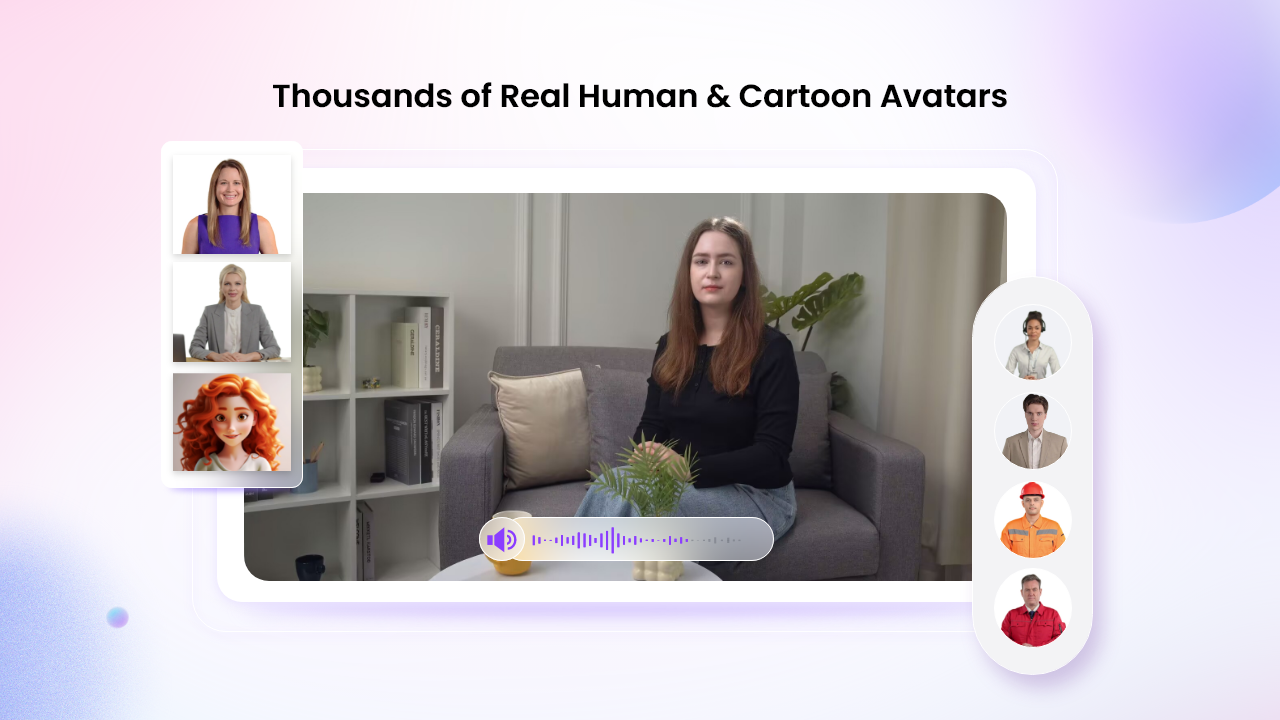
The program is designed to simplify training initiatives, giving HR and L&D teams the tools they need to create impactful video content quickly. Here are some of the main features of this program:
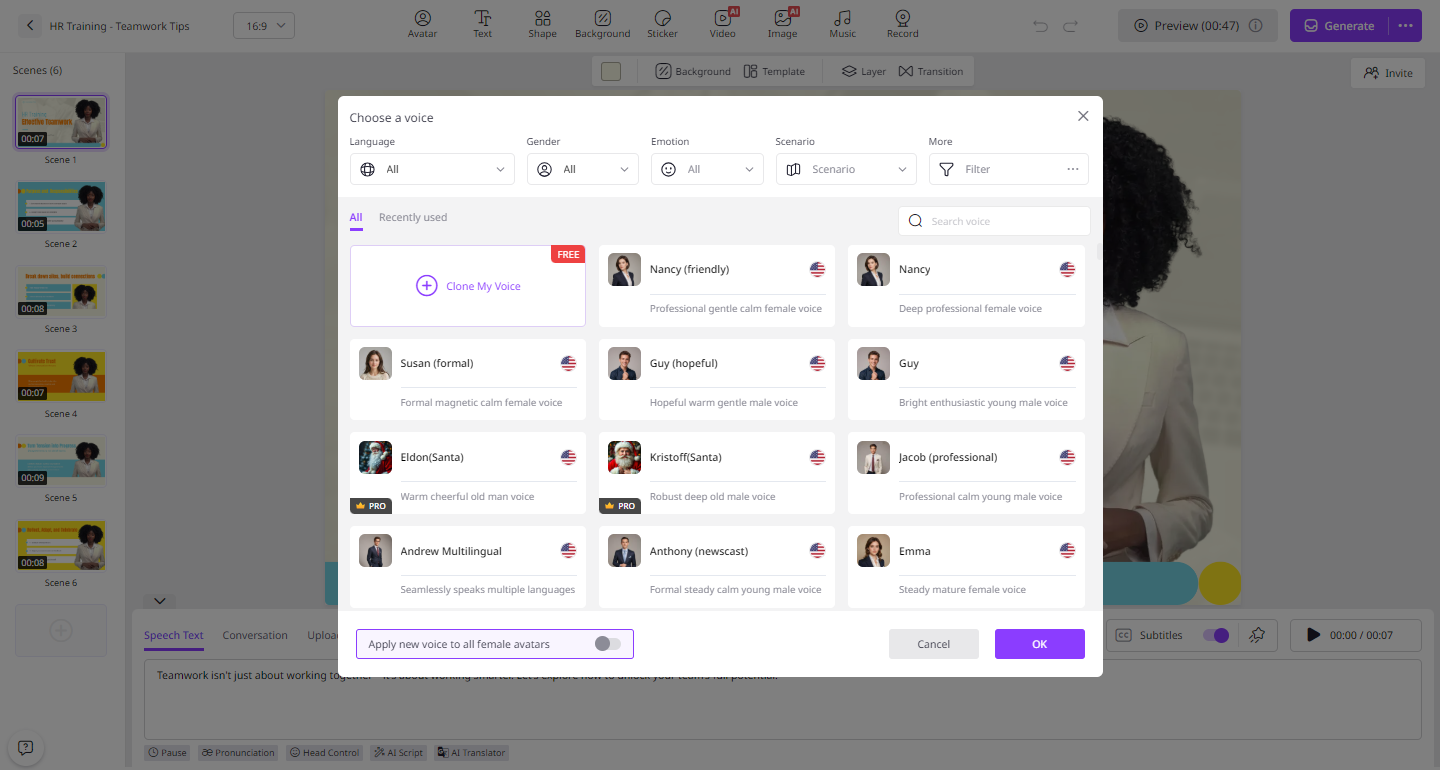
- Natural-Sounding AI Voices: Vidnoz AI includes 2000+ AI voices, all powered by ElevenLabs, Google, and Microsoft. It includes high-quality voices of celebrities, politicians, and anime. Plus, with voice cloning, users can create a synthetic voice using audio recordings that resemble 99% of the real voice.
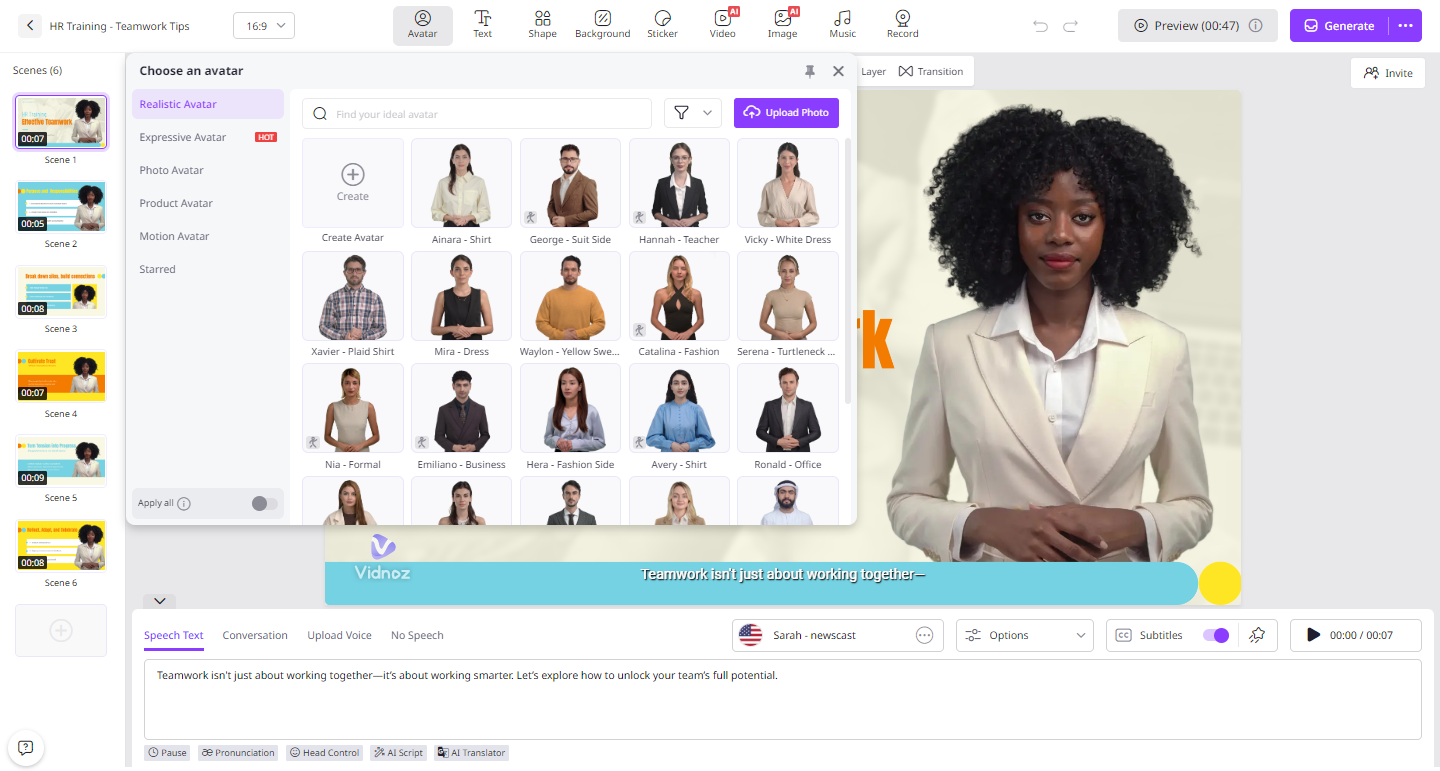
- Realistic AI Avatars: The program offers 1900+ AI Avatars from various industries and roles. It offers avatars of doctors, nurses, politicians, musicians, hosts, customer support, and news reporters. Additionally, Avatar Lite enables you to create a digital twin, and Avatar Pro offers deeper customization.
- Personalized Video Templates: With 2800+ customizable templates, users can generate various types of videos with a single click, including how-to guides, tutorials, breaking news, online courses, and more. The pre-existing subtitles, transitions, and effects can be automatically applied, which eliminates the need for manual editing.
- AI Video Wizard: The standout feature of this program is that it enables users to generate professional-looking videos with a simple text prompt or any source material. No professional help or expensive production teams are required to create videos.
- Free Version: If you have a smaller budget, don’t worry. Vidnoz AI got you covered. Its free version enables HR teams to create high-quality videos without any cost. The free version includes 60 free credits, AI voice changer, text-to-speech, Avatar Lite, Avatar Pro, and more.
Part 3: Benefits and Drawbacks of Using Vidnoz AI
Vidnoz AI offers amazing benefits when it comes to video creation. However, the program also has some drawbacks. Below, we’ve mentioned the top benefits and drawbacks of using Vidnoz AI:
Pros
- Web-based tool, meaning no software downloading or installation is required to use the program.
- Offers an intuitive interface, which is best for non-tech and beginners. Users can generate high-quality videos with a single text prompt.
- Dual-Avatar conversation mode enables users to get two avatars to talk with each other in a scene and edit dialogue scenes freely.
- Easy-to-use AI Video Editor, allowing users to cut and trim footage, add animated effects, change backgrounds, and alter AI-generated scripts.
- Support a wide range of video formats, including MP4, AVI, and MOV. Compatible with multiple devices, including Windows and macOS.
Cons
- Vidnoz AI requires a stable and active internet connection to create high-quality videos.
Part 4: How HR Teams Can Generate High-Quality Videos With Vidnoz AI?
With its simple and intuitive interface, HR teams can generate onboarding and training videos with simple steps. Follow the instructions below to learn how.
- Open your web browser and go to Vidnoz AI’s official site. Click on the “Create Free Video Now” button and choose templates and an AI avatar.
- Enter your video script or upload any source material. Select the AI voice and language. Users can choose multiple languages as this program supports 140+ languages, including English and Spanish.
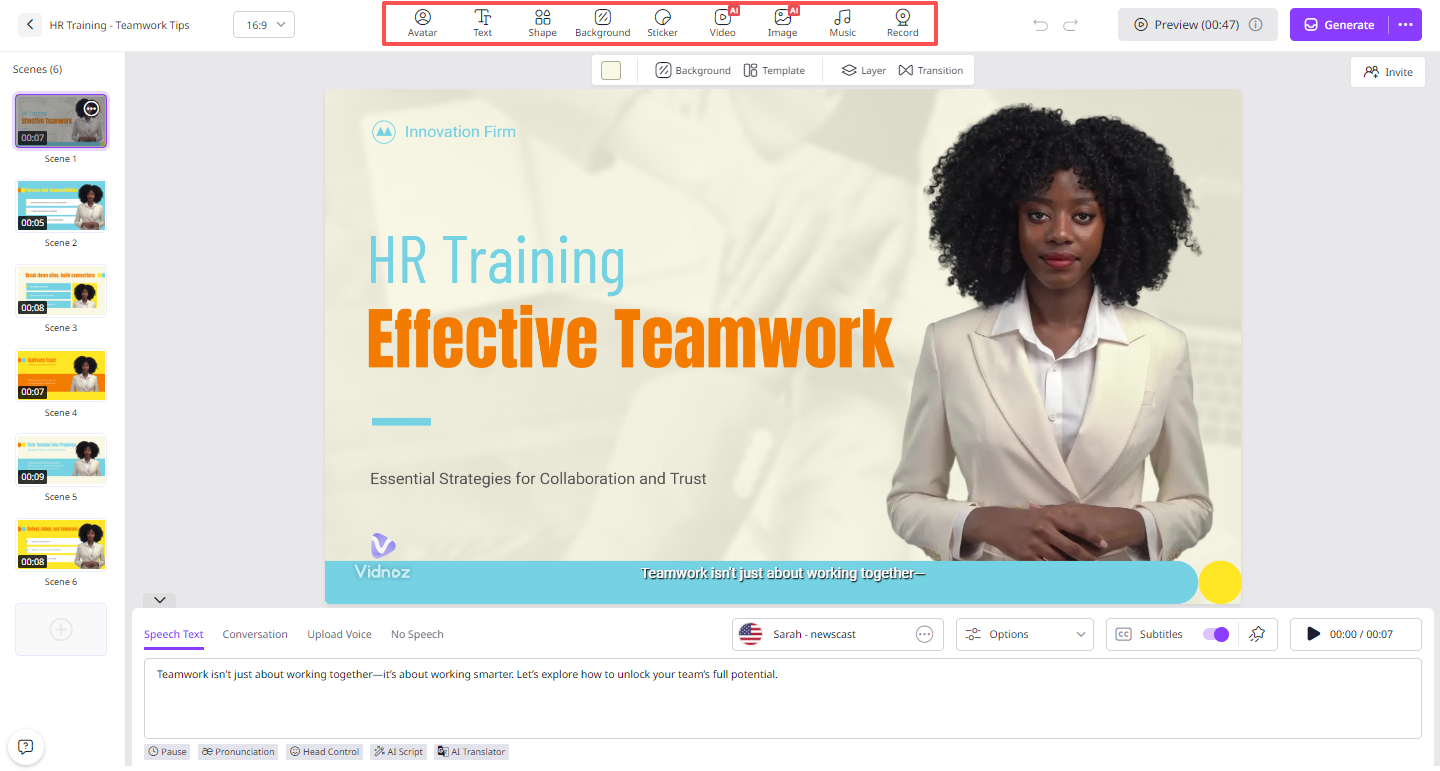
- Use the online video editor to customize it according to your requirements. Users can change the background, add animated effects, insert text, and more.
- Once all the requirements are complete, click on the “Generate” button. Your video will be ready in seconds. Preview it, then click the “Download” button to save it as an MP4.
Conclusion
Thanks to Vidnoz AI, HR teams can generate professional-looking training and onboarding videos without spending any money. The program’s free version offers 60 free credits, allowing teams to explore its features and create professional content right away.