Imagine starting your Monday with a hot cup of coffee and that fired-up “let’s conquer it” mindset. You wake your PC, ready to roll, but boom—you’re hit with a wall of chaos. Random screenshots, duplicate spreadsheets, and forgotten installers are scattered everywhere. This isn’t just an eyesore; it’s a mental block. Visual clutter actually fights for your attention, ramping up stress and making it harder to process information. Instead of being a productivity engine, your desktop turns into a digital junk drawer that you have to rake through just to get started.
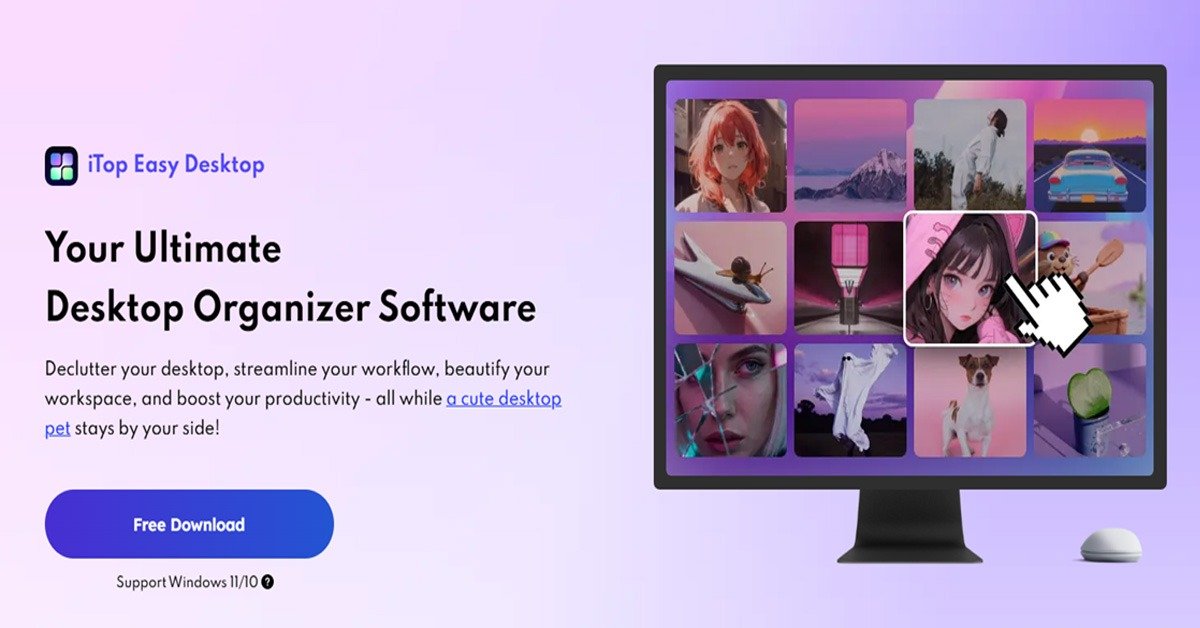
That’s where iTop Easy Desktop comes in. Think of it as a professional organizer for your PC—it sweeps away the mess and creates a streamlined environment where your files are exactly where you need them. It turns that Monday morning ‘wall of chaos’ into a calm, customized space where you can actually get things done.
What is iTop Easy Desktop?
Let’s be honest: we don’t avoid organizing because we’re lazy. We avoid it because it’s tedious. Dragging files around feels like digital chores, and honestly, life is too short for that. iTop Easy Desktop completely transforms your Windows environment from a messy screen into a streamlined command center. It gives you back your mental bandwidth and turns your computer into a space you actually enjoy hanging out in.
iTop Easy Desktop Toolkit: What Makes It Tick
iTop Easy Desktop changes the game by taking the workspace apart and rebuilding it better. Here is a detailed look at the features that will totally transform your desktop experience.
I. Structural Organization and Navigation
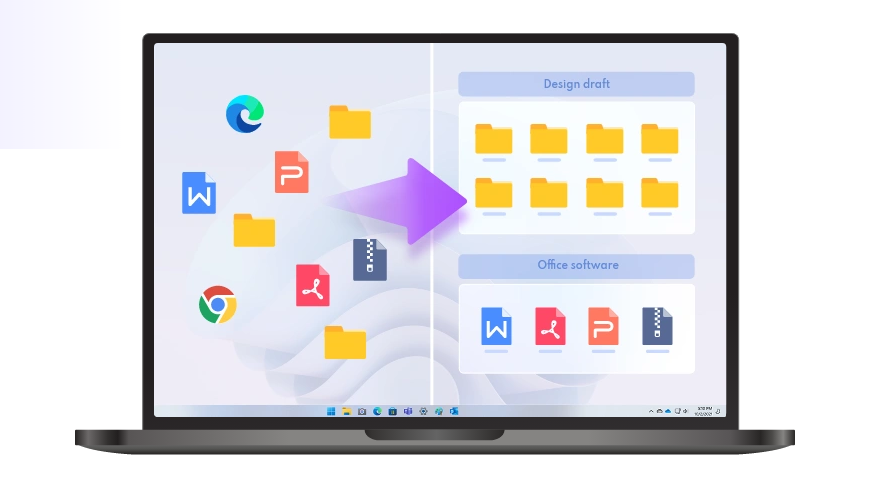
- One-Click Smart Auto-Organization: Think of this as your magic wand. Instead of you manually sorting through the wreckage, the software uses smart algorithms to sort your files instantly. With just one click, your desktop gets divided into neat, translucent boxes for Documents, Images, Apps, and Folders.
- Instant Search Functionality: We waste so much time hunting for files. iTop Easy Desktop fixes this by putting a lightning-fast search bar right on your desktop. You don’t need to dig through File Explorer; just type the name, and your file pops right up. What’s more, iTop Easy Desktop provides instant, direct access to the contents of any folder on your PC right on your desktop. It’s like a mini File Explorer.
- Layout Preservation (Auto-Save): Nothing is worse than your perfectly arranged icons getting scrambled because of a screen resolution change. iTop Easy Desktop automatically saves your layout, ensuring your customized setup stays exactly how you left it, no matter what hardware changes you make.
II. Aesthetic Personalization and Wellness
- Massive HD Wallpaper Library: Your environment affects your mood. iTop Easy Desktop grants you access to over 20,000 high-definition (4K and 8K) wallpapers, ranging from peaceful static landscapes to stunning live-moving backgrounds. They are watermark-free and designed to make your monitor look like a piece of art, not just office gear.
- System-Wide Style Swaps: If you’re bored with the standard Windows look, you can overhaul your entire UI style with a single click.
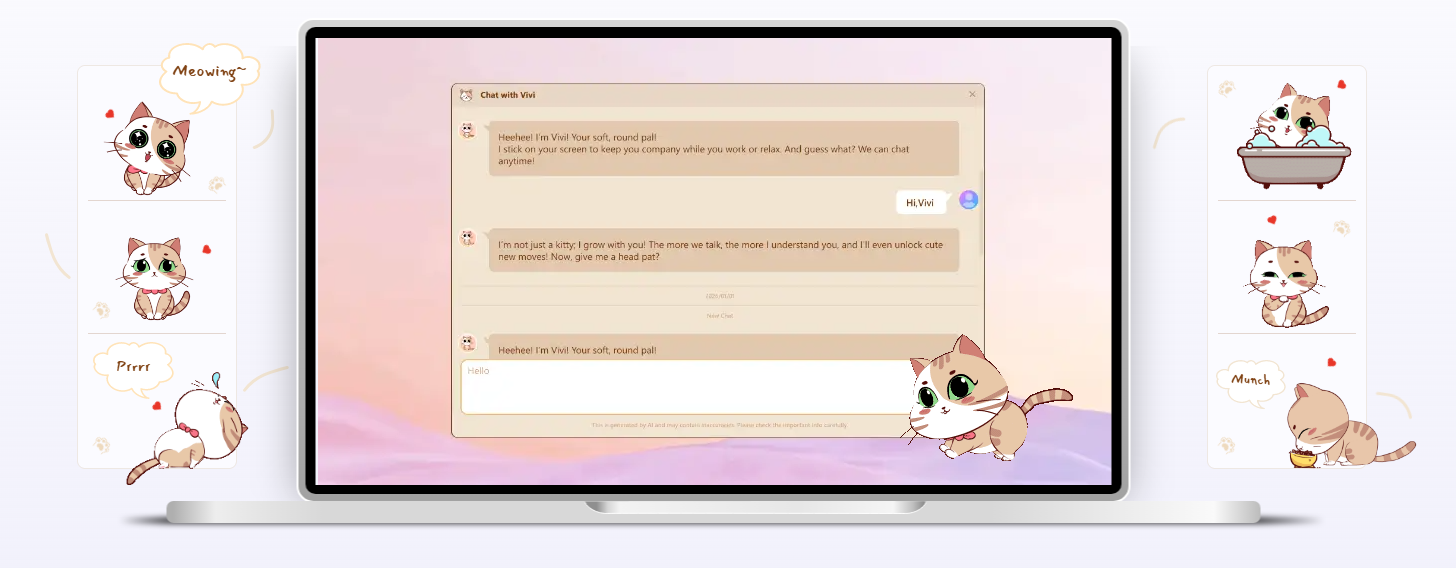
- PawPal—The Digital Companion: Working alone can get lonely. PawPal is an adorable digital pet that lives on your desktop. It reacts to your actions and brings a little bit of warmth to your digital world.
III. The Productivity and Efficiency Suite
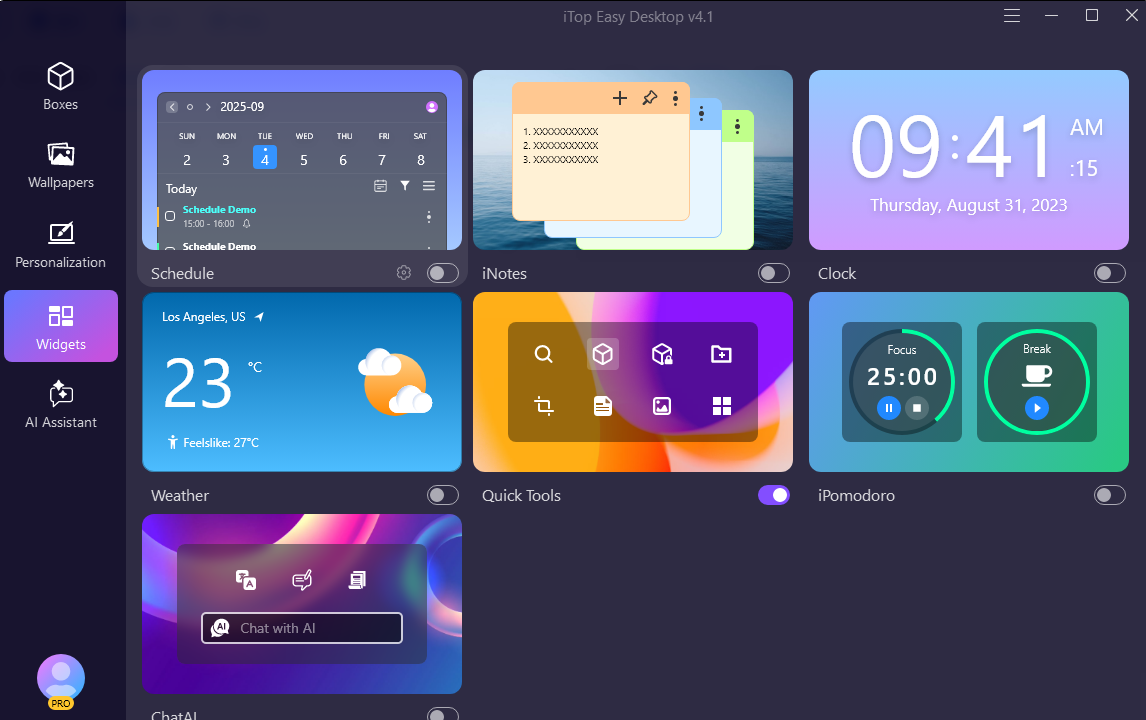
- iNotes and Schedule: Put your top priorities exactly where you see them. The software comes with digital notes, and the schedule syncs perfectly with your Google and Outlook calendars.
- iPomodoro Timer: Productivity is about working smarter, not just harder. The built-in Pomodoro timer helps with this by encouraging focused 25-minute work bursts followed by short breaks to keep you fresh.
- Weather and Clock: No need to check your phone to see if you need an umbrella. The desktop features sleek widgets that keep you updated on the time and weather outside without interrupting your flow.
- Quick Screenshot Tool: Say goodbye to the clunky default tools. This software gives you a streamlined way to snap any part of your screen instantly. It’s a small time-saver that adds up to big dividends over a long workday.
IV. Privacy and Security
- The Private Box Vault: Not everything on your computer is meant for prying eyes. Whether it’s sensitive financial docs or private photos, the Private Box lets you lock specific files away behind a password-protected layer of security.
- Double-Click to Hide: This is your ultimate panic button. If you’re working on something sensitive and someone walks in, just double-click any empty space on your desktop. Every icon and box vanishes instantly.
From Download to Delight: The 3-Step Transformation
Getting your desktop in order with iTop Easy Desktop is incredibly easy and low-friction. Here is how you do it:
- Installation: Once you download and install the software, the setup is a breeze. It’s lightweight, so it won’t slow down your system—super important if you’re running heavy apps like video editors or coding software.
- Auto-Organization: When you launch it, you don’t need to do anything complicated. Just hit the enable Boxes option and watch the magic happen as your screen tidies itself up.
- The Personal Touch: This is where it gets fun. Scroll through the wallpaper library, set up your Private Box, and enable your PawPal. By the time you finish, your computer won’t feel like a machine anymore; it’ll feel like a personalized sanctuary built just for you.
Final Thoughts: A Tool That Respects Your Time
In the modern world, our digital space is just as important as our physical one. iTop Easy Desktop isn’t just about being neat; it’s about removing the friction between you and your goals. By automating the boring stuff, securing your data, and adding a layer of aesthetic joy, it turns your computer from a source of stress into a source of power. Don’t settle for a desktop that can’t keep up with your output; upgrade to a workspace that matches your hustle.